Architecture
src/
├── main.py                         # CLI entry: imports dg_editor.show()
│
├── dg_editor/                      # Core package namespace
│   ├── __init__.py                 # Package entry: exposes ui__main_window as show()
│   ├── config.py                   # VERSION, PATH, DEBUG flag
│   ├── reloader.py                 # Hot-reload orchestrator (DEBUG mode)
│   │
│   ├── ui__main_window.py          # UI:    QTabWidget container, Maya parent wrapping
│   │
│   ├── ui_nodes.py                 # UI:    Node tab: WidgetCreate, WidgetDelete
│   ├── nodes_create.py             # Logic: DSL lexer/parser (name:type syntax)
│   ├── ui_nodes_create_dialog.py   # UI:    Template UI (spinbox, linedit → expression)
│   ├── nodes_create_dialog.py      # Logic: Template processor (placeholder → names)
│   ├── ui_nodes_delete_dialog.py   # UI:    Regex input dialog
│   ├── nodes_delete_dialog.py      # Logic: Scene-wide regex matcher
│   │
│   ├── ui_connect.py               # UI:    Connection tab: from/to attribute matchers
│   ├── ui_connect_dialog.py        # UI:    Regex dialog for attributes
│   ├── connect_dialog.py           # Logic: Attribute-level regex filtering
│   │
│   ├── ui_rename.py                # UI:    Rename tab: prefix/search-replace widgets
│   ├── rename.py                   # Logic: UID-based rename logic (hierarchy-aware)
│   │
│   ├── ui_settings.py              # UI:    Settings tab: undo toggle, font size spinbox
│   ├── settings.py                 # Logic: JSON persistence: bind_lineedit, bind_spinbox
│   │
│   ├── widgets/                    # Reusable UI component library
│   │   ├── __init__.py             # Exposes BaseWidget, BaseDialog
│   │   └── base.py                 # Abstract base classes with layout builders
│   │
│   └── utils.py                    # undo_block decorator
│
├── build.py                        # Build script: copies src/ to build/dg_editor_x.x.x/
└── install.mel                     # MEL installer: drag-drop shelf button creation
UI modules (ui_*.py) instantiate widgets and handle Qt signals;
Logic modules (*.py without ui_ prefix) contain backend Maya cmds operations and algorithms of the corresponding UI.
Function list
Node Tab
Connection Tab
Rename Tab
Settings Tab
Use Cases
Case 1: IK/FK Spine Rig Setup
Context
Building FK joint chain driven by IK control curves.
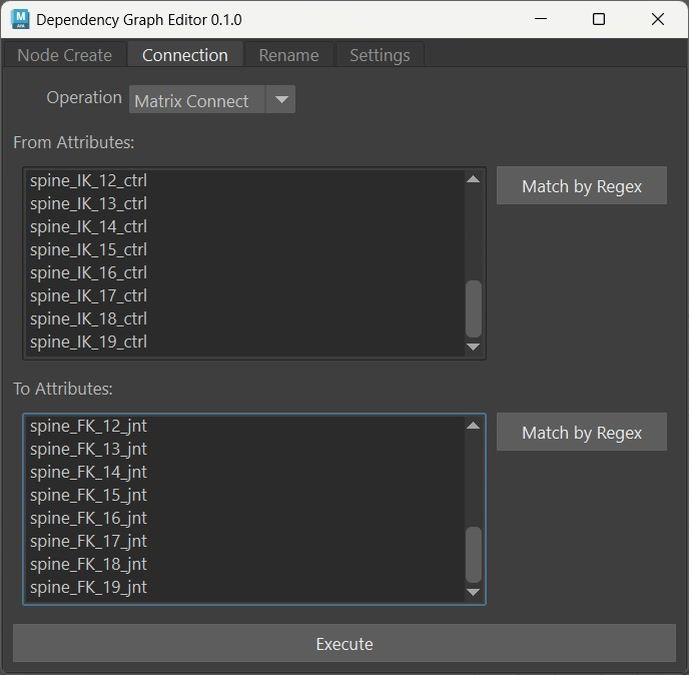
IK controls drive FK joints through worldMatrix → offsetParentMatrix connections.
Target Outliner Structure
spine_rig_grp
├── spine_FK_jnt_grp
│   ├── spine_FK_0_jnt
│   ├── spine_FK_1_jnt
│   └── ... (spine_FK_19_jnt)
├── spine_IK_ctrl_grp
│   ├── spine_IK_0_ctrl
│   ├── spine_IK_1_ctrl
│   └── ... (spine_IK_19_ctrl)
└── spine_extras_grp (guides, measurement curves)
# Controls drive joints via worldMatrix connections
Workflow
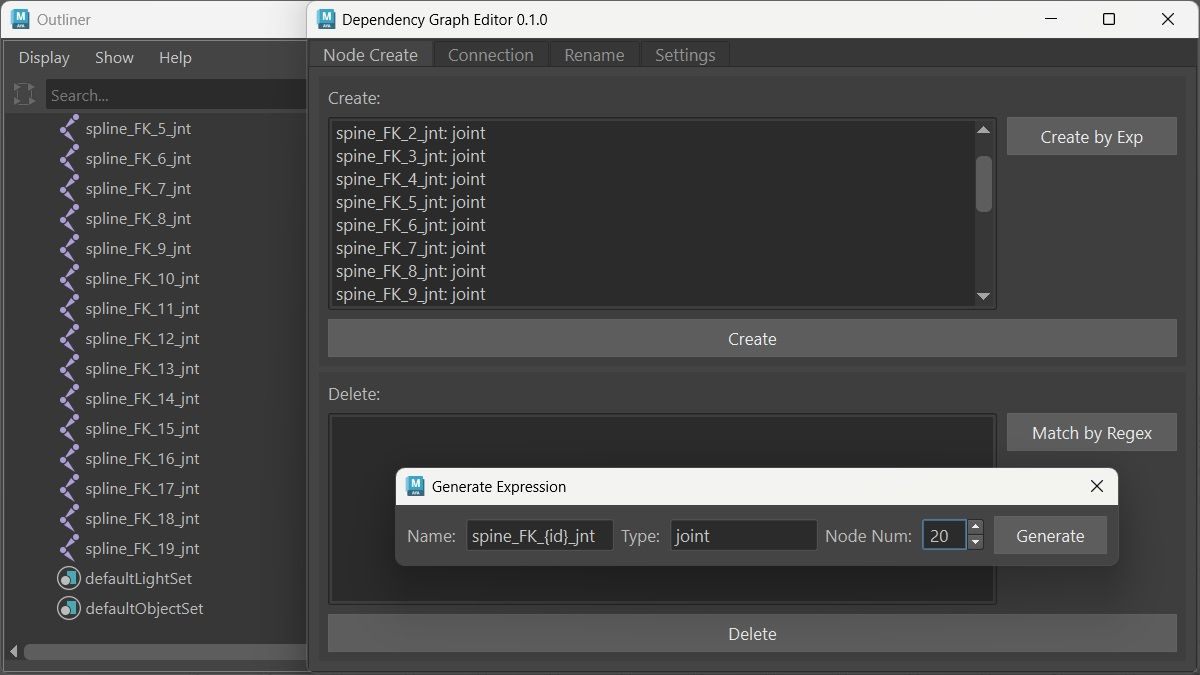
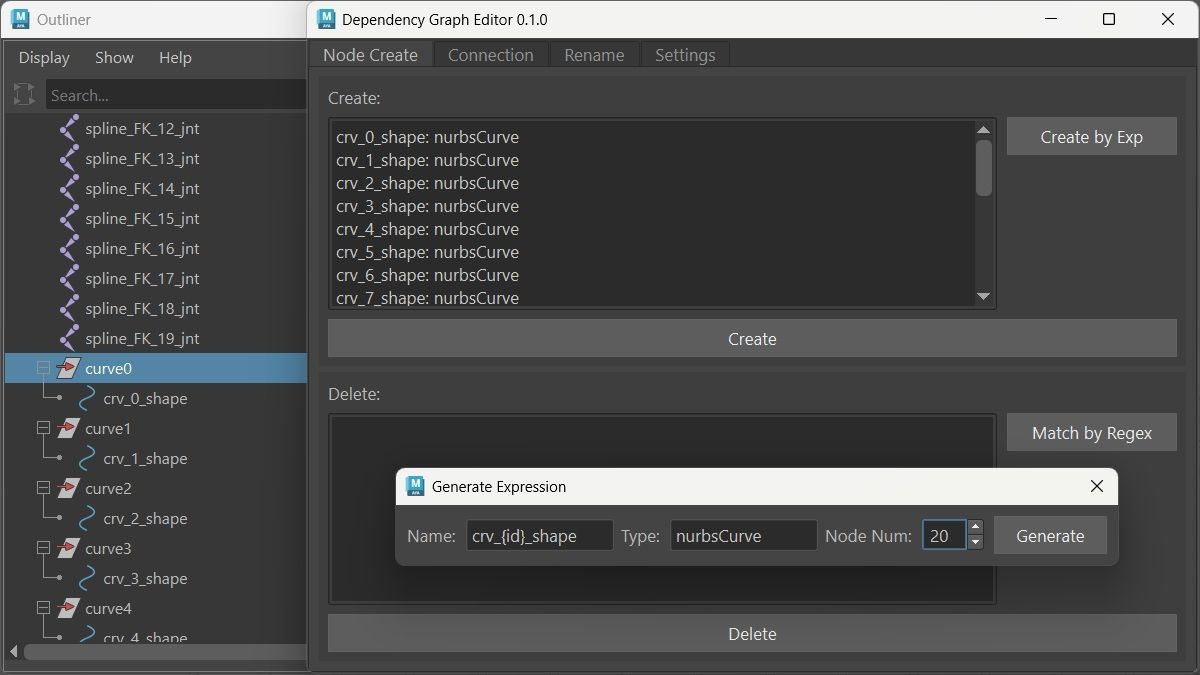
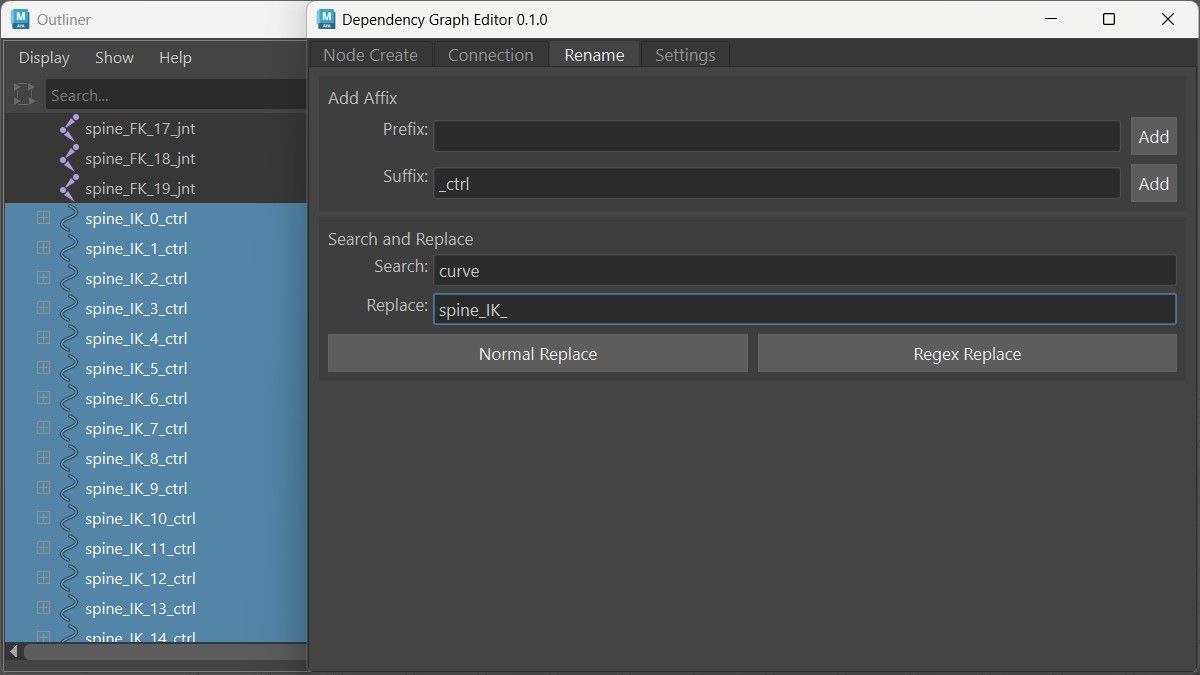
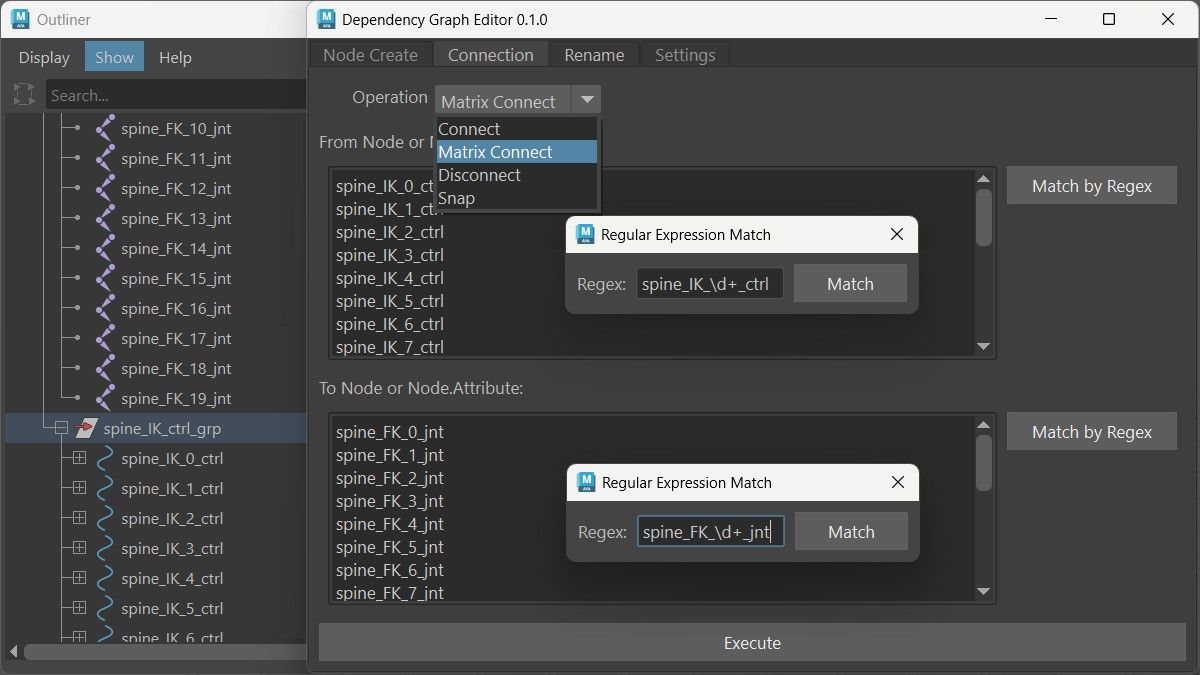
Detailed Steps
- Generate FK Joint Chain

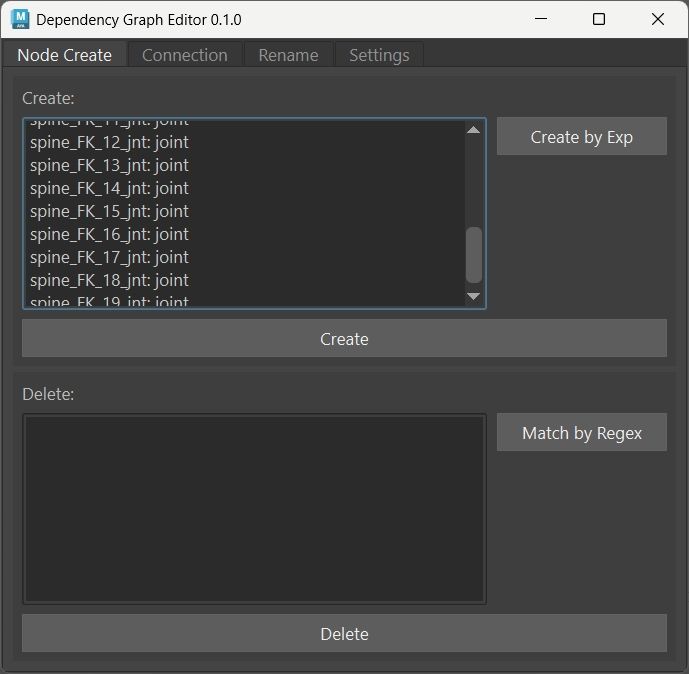
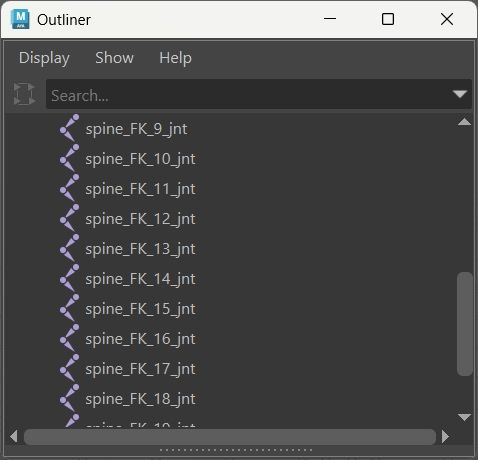
- Position FK Joints (Manual)
(Orient joints along spine path)
- Generate IK Control Curves

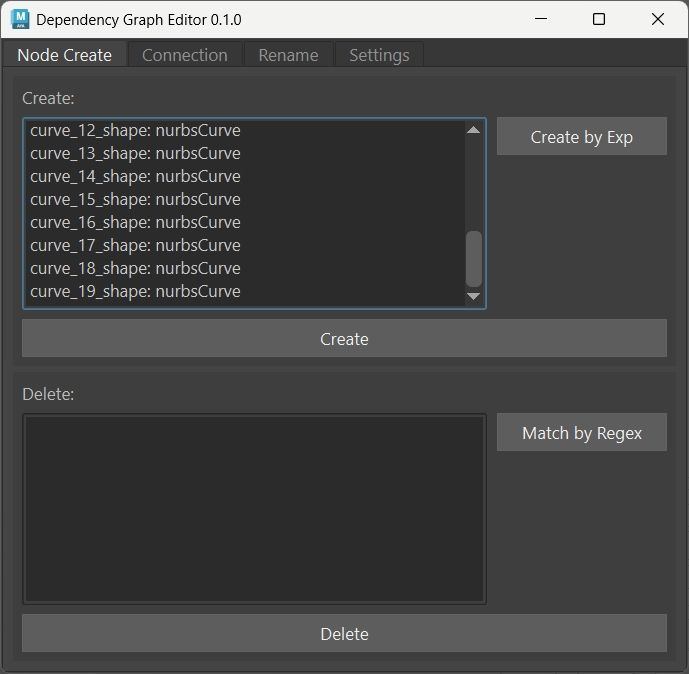
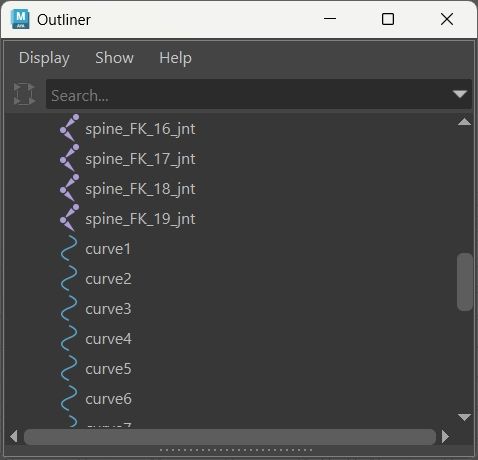
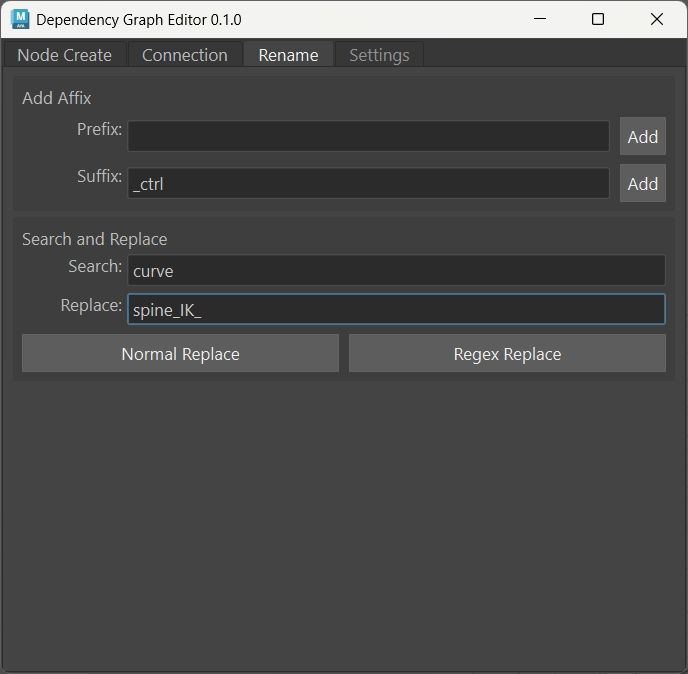
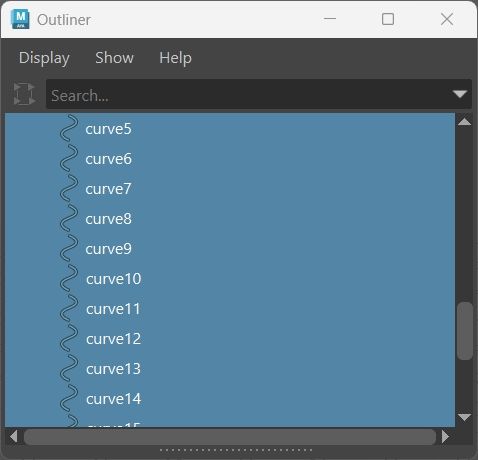
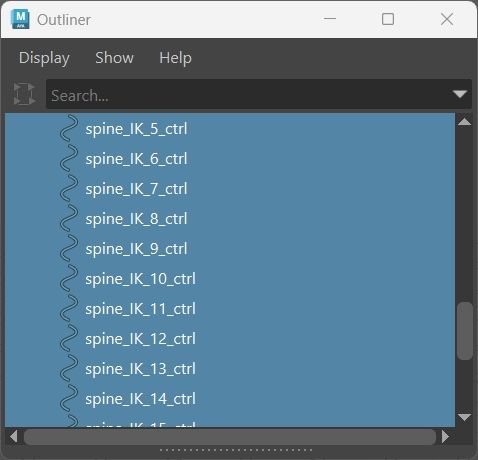
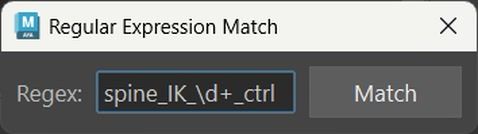
- Rename Created Control Curves
(The name curve_{id}_shape is applied to the hidden internal Shape node,
and Maya wraps it in an default-named curve{id} Transform node.)
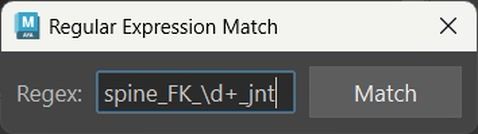
- Connect via World Matrix
- Group Hierarchies (Manual)
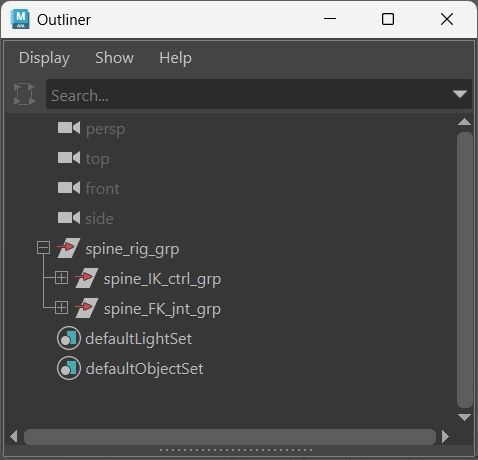
- Select all FK joints → Ctrl+G → rename spine_FK_jnt_grp
- Select all IK controls → Ctrl+G → rename spine_IK_ctrl_grp
- Select both groups → Ctrl+G → rename spine_rig_grp
Update History
v0.1.1 - Matrix Connect and Snap Operations
Extended connection operations with matrix workflow and transform snapping.
Matrix Connect executes worldMatrix to offsetParentMatrix connections.
Snap handles batch transform matching through regex patterns.
Operation Selector
class WidgetFuncSelect(BaseWidget):
  Connect, Disconnect, MatrixConnect, Snap = range(4)

  def __init__(self, parent=None):
      super(WidgetFuncSelect, self).__init__(parent)

      self.func_combo = QComboBox()
      self.func_combo.addItem("Connect")
      self.func_combo.addItem("Matrix Connect")
      self.func_combo.addItem("Disconnect")
      self.func_combo.addItem("Snap")
Added two new operation types to existing operations.
Execution Branches
elif func_type == WidgetFuncSelect.MatrixConnect:
  cmds.connectAttr(
      "{}.worldMatrix[0]".format(src_node),
      "{}.offsetParentMatrix".format(dst_node),
      force=True
  )
elif func_type == WidgetFuncSelect.Snap:
  cmds.matchTransform(dst_node, src_node, pos=True, rot=True)
Matrix extracts node names from attribute strings for worldMatrix access.
Snap excludes scale—rigging workflows don’t need it usually.
Both use force=True to overwrite existing data.
Disconnect Fallback
elif func_type == WidgetFuncSelect.Disconnect:
  try:
      cmds.disconnectAttr(o, i)
  except:
      try:
          cmds.disconnectAttr(
              "{}.worldMatrix[0]".format(src_node),
              "{}.offsetParentMatrix".format(dst_node)
          )
          cmds.setAttr("{}.offsetParentMatrix".format(dst_node),
                       [1,0,0,0, 0,1,0,0, 0,0,1,0, 0,0,0,1], type="matrix")
      except:
          cmds.warning("Disconnection failed")
Disconnect fallback tries direct attribute first, then matrix if that fails.
Identity matrix reset needed—otherwise target keeps last transform value after disconnect.
Key Features & Code Snippets
Custom DSL Parser for Node Creation
Interprets name:type expressions for batch node creation. It uses a two-stage system: Lexer tokenizes the input string, parser validates grammar against expected patterns before any Maya commands execute.
Lexer
name_match = re.compile(r'[a-zA-Z0-9_]+')
colon_match = re.compile(r':')
linefeed_match = re.compile(r'(\r\n|\n)+')

# Lexer: character stream → token stream
def _lex(exp):
  while len(exp) > 0:
      # space skipping
      m = space_match.match(exp)
      if m: exp = exp[m.end():]

      # name handling
      m = name_match.match(exp)
      if m:
          yield TokenName(exp[m.start():m.end()])
          exp = exp[m.end():]
          continue
      # ... colon and linefeed handling
The lexical analyzer tokenizes input using pre-compiled regex patterns.
It yields tokens as they’re matched—no need to build the full token list.
Parser
# Parser: token stream → (name, type) pairs
def parser(exp):
  tokens = list(_lex(exp))
  while tokens:
      if (isinstance(tokens[0], TokenName) and
          isinstance(tokens[1], TokenColon) and
          isinstance(tokens[2], TokenName)):
          yield tokens[0].text, tokens[2].text
          tokens = tokens[3:]
      else:
          raise NodeCreateExpExc('syntax error')
The parser validates grammar through pattern matching on token streams.
It converts tokens to (name, type) pairs.
Template String Processor with Variable Interpolation
Generates numbered node sequences from placeholder expressions like ctrl_{id}_geo.
Each template gets lexed into tokens, then interpolated against a context dictionary per iteration.
Interpolation
value_match = re.compile(r'\{([a-zA-Z0-9_]+)\}')

def parse(exp, values):
  """
  exp: "ctrl_{id}_geo"
  values: [{"id": 0}, {"id": 1}, {"id": 2}]
  yields: "ctrl_0_geo", "ctrl_1_geo", "ctrl_2_geo"
  """
  tokens = list(_lex(exp))
  for kv in values:
      name = ''
      for t in tokens:
          if isinstance(t, TokenName):
              name += t.text
          else:
              v = kv.get(t.text)
              if v is None:
                  raise CreateDialogParserExc("Key not found")
              name += str(v)
      yield name
Regex capture group extracts placeholder names, dictionary lookup resolves values.
The generator-based lazy evaluation yields results incrementally instead of building full lists.
It means memory stays low—each name gets yielded and consumed before the next one’s built.
Hierarchical Selection with UID Tracking
Converts selections to Maya UIDs before rename operations.
As string paths break mid-batch when names change, UIDs don’t—they’re persistent identifiers even hierarchy changes.
UID Collection
def _select_uids():
  sel = cmds.ls(sl=True, long=True)
  if not sel: return []

  # Flatten: selected nodes + all descendants
  nodes = [
      n for s in sel
      for all_nodes in ([s], cmds.listRelatives(s, ad=True, pa=True) or [])
      for n in all_nodes
  ]
  uids = cmds.ls(nodes, uid=True)
  return list(set(uids))  # Remove duplicates
List comprehension flattens selection plus descendants into single list.
list(set()) at the end removes duplicates—handles case where user selects both parent and child simultaneously.
The ad=True flag gets all descendants recursively, pa=True returns full paths to avoid name ambiguity.
Hot-Reload Development Environment
Module reload system that triggers on import when DEBUG flag is active.
Eliminates Maya restarts between code changes during development.
if config.DEBUG:
  print("--- Reloading DG Editor Modules ---")
  for m in modules:
      try:
          importlib.reload(m)
      except Exception as e:
          print(f"Failed to reload {m}: {e}")
this cuts iteration time from ~2 minutes to ~10 seconds.
(edit code → close tool → restart Maya → re-run tool to edit code → re-run tool)
Atomic Undo Decorator
Wraps operations in Maya’s undo chunk API.
Everything inside the decorated function becomes a single undo step.
Decorator
def undo_block(fn):
  @functools.wraps(fn)
  def wrapper(*args, **kwargs):
      enable_undo = settings.get_undo_check()
      if enable_undo:
          cmds.undoInfo(ock=True)
      try:
          return fn(*args, **kwargs)
      finally:
          cmds.undoInfo(cck=True)
  return wrapper
The @functools.wraps preserves original function metadata.
The undo chunk is opened before execution and closed in finally block so chunk closes even if operation raises — this is crucial, as any error that stops it from closing will leave Maya’s undo queue in a bad state.
Usage
@undo_block
def delete_node(self):
  node_names = self.name_text.toPlainText().splitlines()
  cmds.delete(node_names)
Decorator application.
So delete 500 nodes, they all collapse into one undo step. Hit Ctrl+Z once, all 500 restore.
Persistent Settings Backend
JSON storage system that persists UI state between Maya sessions.
Core layer handles get/set operations, binding functions connect Qt widgets to storage keys with auto-save behavior.
JSON Access
JSON_PATH = os.path.join(config.PATH, "settings.json")

def _get_json():
  if not os.path.isfile(JSON_PATH):
      _save_json(dict())
  with codecs.open(JSON_PATH, "r", encoding="utf-8") as f:
      return json.load(f)

def _save_json(data):
  with codecs.open(JSON_PATH, "w", encoding="utf-8") as f:
      json.dump(data, f)

def _set(key, val):
  data = _get_json()
  data[key] = val
  _save_json(data)

def _get(key, default):
  data = _get_json()
  return data.get(key, default)
File creation on first access if missing. Each set operation does full read-modify-write cycle — not optimized for high-frequency updates but fine for UI widget changes.
Widget Binding
def bind_lineedit(widget, key, default=""):
  current_val = _get(key, default)
  widget.setText(str(current_val))
  widget.editingFinished.connect(lambda: _set(key, widget.text()))

def bind_spinbox(widget, key, default=10):
  current_val = _get(key, default)
  try:
      widget.setValue(float(current_val))
  except ValueError:
      widget.setValue(default)
  widget.valueChanged.connect(lambda val: _set(key, val))

def bind_checkbox(widget, key, default=True):
  # ... similar pattern

def bind_combobox(widget, key, default=None):
  # ... similar pattern
Binding functions follow same pattern—load current value on init, connect signal to auto-save.
editingFinished for line edits triggers on focus loss, not per keystroke.
valueChanged for spinbox fires immediately on change.